How To Prevent A Cloudflare Global Outage From Taking You Offline?
You cannot guarantee there will never be a Cloudflare global outage, but you absolutely can prevent it from becoming your outage. The winning move is simple: remove single points of failure in front of your site by building DNS provider resilience and multi CDN redundancy, then practice the failover like it is a feature, not an emergency.
If you do that, “Cloudflare is down” turns from a full-stop incident into a traffic shift. That is real internet downtime mitigation, and it is the core of practical Cloudflare outage prevention.
Stop Trying To Prevent The Outage, Prevent The Blast Radius
A global provider outage is usually not one server dying. It is a control plane issue, a routing problem, a bad config rollout, or a dependency chain failing in a way that affects many regions at once. That means you cannot fix it from your dashboard, and you cannot predict it from your uptime tool five minutes early.
So the prevention strategy that actually works is this:
- Assume the provider can fail.
- Design your edge so your users still reach something useful.
- Make failover fast, safe, and boring.
I treat this like fire safety. You do not “prevent all fires” by staring at the toaster harder. You prevent a kitchen fire from burning down the whole building by having exits, alarms, and a plan.
Build DNS Provider Resilience First
If users cannot resolve your domain name, nothing else matters. DNS is the front door, and it is often the most ignored single point of failure.
What you want is two independent DNS options, so if one provider has an outage or a bad propagation event, the other can still answer queries.
What A Solid DNS Setup Looks Like
Here is the practical target:
- Primary DNS provider (could be Cloudflare DNS, Route 53, NS1, etc.)
- Secondary DNS provider hosted elsewhere
- Zone data kept in sync (automatically if possible)
- Nameserver delegation includes both providers’ NS records
- Short but sane TTLs for critical records (so changes propagate in minutes, not hours)
A lot of people stop at “set TTL to 60 seconds” and call it a day.
That does not help if your only authoritative provider is down. Low TTL helps you change records quickly, but it does not help you answer queries when nobody is answering at all.
Here are some options you can consider; choose one that fits you best.
If you only do one thing after reading this, do dual authoritative DNS. It is the highest leverage change for the least architectural pain.
Add Multi CDN Redundancy Without Breaking Your App
Most people hear “multi-CDN” and imagine rewriting everything, changing caching logic, and getting stuck in a months-long migration. You do not need that.
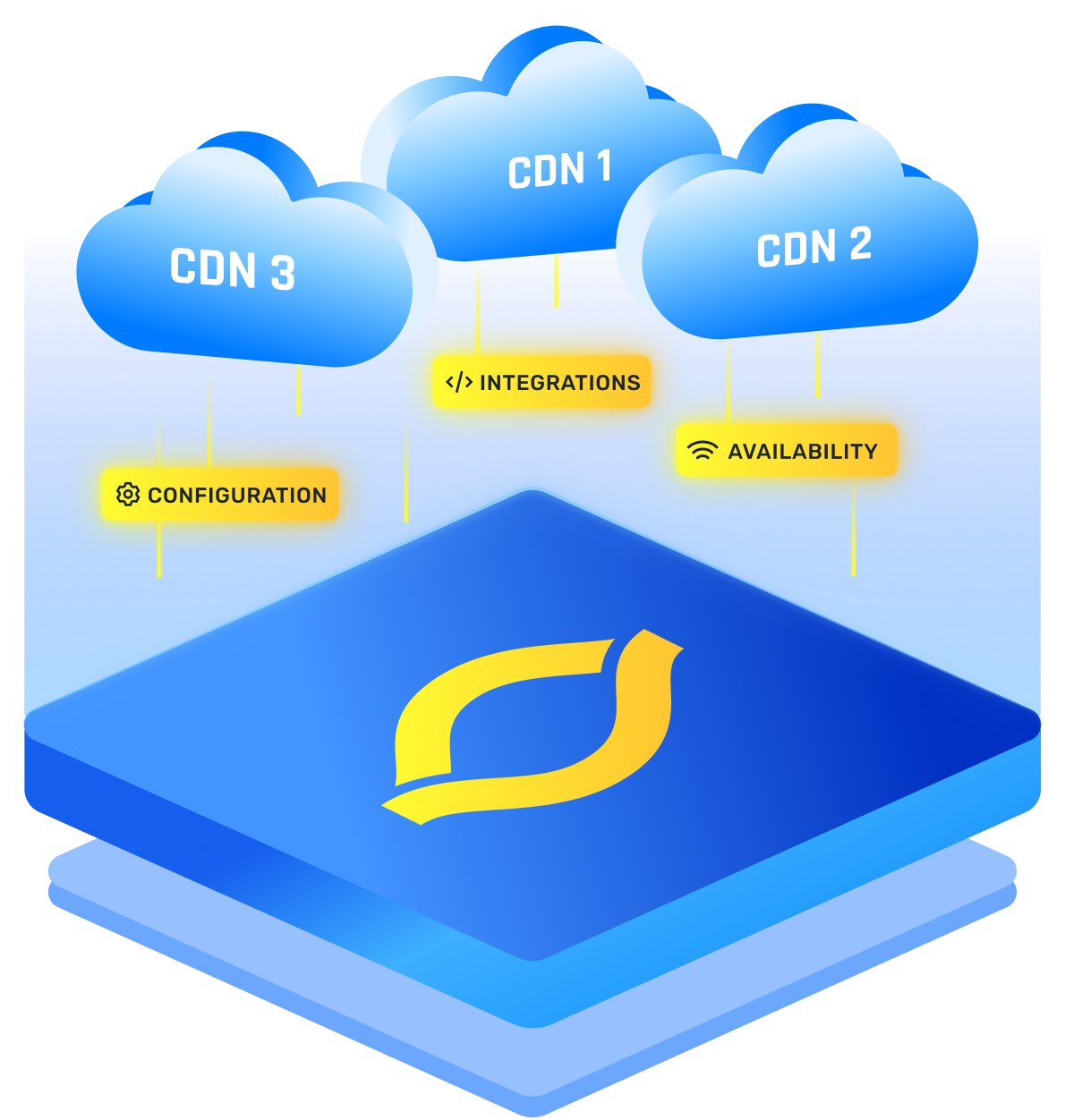
The simplest goal of multi CDN redundancy is not “perfect parity.” It is “a second edge can serve your most important traffic if the first edge is degraded.”
Think in tiers:
- Tier 1: static assets (JS, CSS, images)
- Tier 2: marketing pages and docs
- Tier 3: core app traffic
- Tier 4: APIs with auth, personalization, and low cacheability
You can often get Tier 1 and Tier 2 onto a backup CDN quickly, and that alone makes an outage feel 10x smaller to users.
What You Should Normalize Across CDNs
If you want failover to be clean, normalize these things so both sides behave similarly:
- TLS certificates and supported ciphers (use automation)
- Compression and basic caching headers
- Host header behavior to your origin
- WAF and bot rules at least for the obvious stuff
- Rate limiting and basic DDoS posture
I would not try to mirror every edge feature. The more edge logic you pack into one vendor, the harder failover becomes.
Use A Traffic Steering Layer That Can Switch Fast
You need a way to move traffic when the primary edge is having a bad day. You have a few options, and which one you choose depends on how much control you want and how quickly you need to shift.
- DNS-based steering: switch A records or CNAMEs to point at the backup CDN
- Anycast/GSLB steering: use a global traffic manager that routes to healthy endpoints
- Client-side steering: app logic that switches asset domains if a primary is failing (works well for static)
- Routing at the edge: harder during a provider outage, because the edge might be the thing failing
If the scenario you fear is “the edge provider control plane is down,” DNS-based steering plus multi-authoritative DNS is your friend. It stays outside the blast radius.
Keep it short and executable, because during an incident you will not read a novel.
- Confirm scope: DNS resolution, HTTP errors, or edge latency?
- If DNS is impacted, verify secondary DNS is answering.
- If HTTP edge is failing, flip the steering record to CDN B.
- If origin load spikes, enable origin protection mode (rate limit, shed noncritical traffic).
- Post an incident banner and degrade gracefully.
That is it. The runbook should fit on one screen.
Design Your Origin So A CDN Failover Does Not Melt It
Failing over from a CDN to “direct origin” is a classic self-own. Suddenly you lose caching, bot filtering, and rate limiting, then your origin takes the full force of the internet.
So origin resilience is part of outage prevention, even though the outage started somewhere else.
- Cache at multiple layers: CDN cache, reverse proxy cache, application cache
- Autoscaling with guardrails: scale up, but cap runaway costs
- Separate critical and noncritical endpoints: so you can shed load safely
- Rate limiting close to origin: even basic NGINX or load balancer limits help
- Static fallback paths: serve “read-only mode” or cached content when your app tier is struggling
I like to build a deliberate “degraded mode” that is not embarrassing. Users will tolerate read-only or delayed updates. They will not tolerate a blank page.
Make Cloudflare Features Fail Safe, Not Fragile
This is where people accidentally create downtime during a provider incident. They build an app that only works if every Cloudflare feature is online at the same time.
If your edge logic is too complex, a partial outage easily becomes a full outage.