


If you’ve ever had a website or app slow down for users in one part of the world, you already know the pain. You put in the work, build something great; and then performance randomly dips depending on where someone’s visiting from, or when traffic spikes. That’s exactly the kind of problem a multi CDN setup is designed to solve.
Instead of relying on one CDN provider to handle all your traffic, you use multiple CDNs together. It’s a bit like having more than one delivery company working for you; if one slows down or runs into issues, the others keep things running smoothly.
What Is a Multi CDN?
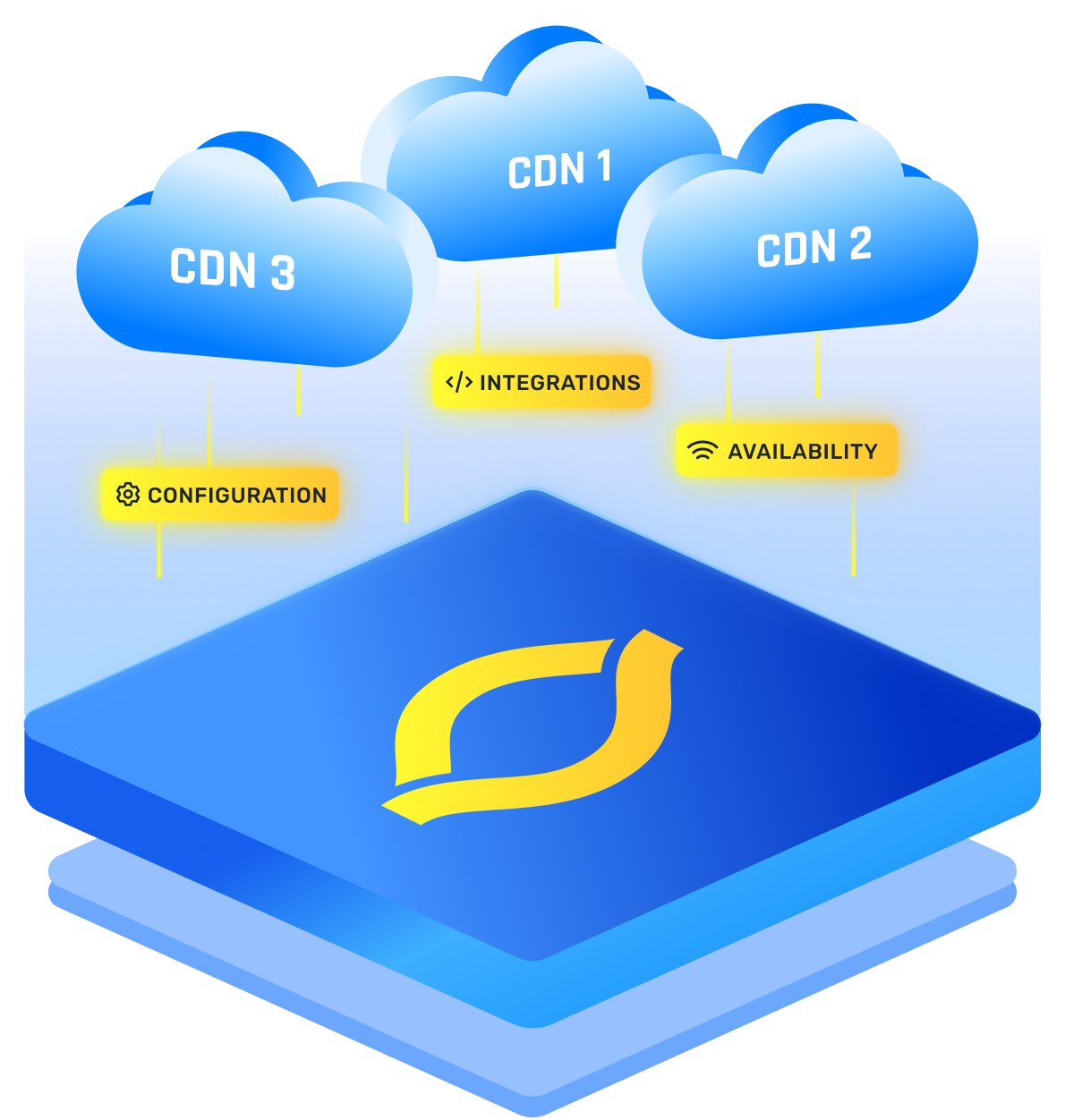
A multi CDN (multi content delivery network) means you’re using two or more CDN providers at the same time to deliver your content. Instead of picking just one (like Cloudflare, Akamai, or Fastly), you route different traffic through different CDNs depending on performance, location, or other factors.
Why do this? Because no single CDN is perfect everywhere, all the time. One might be great in Europe, another might shine in Southeast Asia. With a multi CDN solution, you spread the load, reduce points of failure, and keep your website fast and reliable for everyone.
When a Single CDN Just Isn’t Enough
You might think one good CDN is all you need. And honestly, for a lot of websites, that’s true; for a while. But eventually, cracks start to show.
Maybe your traffic isn’t global right now, but what if you go viral in a country your CDN doesn’t handle well? Or maybe you’re streaming video, running a launch campaign, or just need to keep SLAs tight; anything less than 100% uptime becomes a real problem.
CDNs can also slow down without going fully offline. It’s not your code. It’s just… how the internet works sometimes. That’s when relying on a single CDN starts to feel like rolling dice.
A multi CDN approach gives you the buffer. It’s like saying, “I’ve got backup. If one route lags, I’ll take another.” It’s peace of mind, delivered at the edge.
{{cool-component}}
Why Would You Even Need a Multi CDN?
Not every website needs it; but here’s when it makes sense:
- You have a global audience and want consistent speed everywhere.
- You run high-stakes apps or services (like streaming, banking, or gaming) where downtime isn’t an option.
- You’ve had performance dips in the past due to CDN outages or regional slowdowns.
- You want better control over traffic, cost, or routing logic.
If that’s you, a multi CDN architecture gives you flexibility that a single provider just can’t match.
How a Multi CDN Architecture Works
At its core, a multi CDN architecture is built on smart routing. Here’s the general idea:
- You serve your content through multiple CDNs.
- A traffic director (usually a DNS service) decides which CDN to use for each user request.
- If one CDN is slow or offline, the system reroutes traffic to another one, automatically.
You can split traffic in different ways:
- Geo-based routing: Visitors in India get CDN A, users in the US get CDN B.
- Performance-based routing: Whichever CDN is fastest at that moment gets the request.
- Load-based routing: You balance traffic between providers to avoid overload.
This setup needs a multi CDN DNS service to handle all that logic behind the scenes.
What Happens During a Failover?
Let’s walk through what failover actually looks like with a multi CDN setup; because it’s not just magic.
Let’s say a user in Dubai is loading your app. Your multi CDN DNS checks which CDN is healthiest for that location; maybe it chooses CDN A. But something goes wrong: CDN A’s edge server in the region slows down or goes offline.
Now here’s the cool part: your smart DNS layer is watching.
It sees response times creeping up, or error rates rising. It reacts; fast. Within seconds, it reroutes that user to CDN B, which is still healthy in that area. No page crashes. No loading forever. No complaints.
From the user’s point of view? Nothing even happened. They’re just getting the content, like usual.
Behind the scenes? Your failover system just saved the experience; and possibly a customer.
{{cool-component}}
Multi CDN vs CDN Redundancy
Multi CDN and CDN redundancy overlap, but they are not the same thing. Multi CDN means you deliberately use two or more CDN providers at the same time.
CDN redundancy is the broader goal of avoiding single points of failure, which you can achieve with multiple providers, or with a single provider that has proper failover and regional diversity.
What Is Multi CDN DNS?
This is where your routing magic happens.
Multi CDN DNS is usually a smart, managed DNS system that sits between your users and your CDNs. When someone visits your site, this DNS layer decides which CDN should respond based on your rules.
It can look at:
- Network latency
- CDN health
- Real-time monitoring data
- Geo location
- Custom business logic (like A/B tests or cost controls)
So instead of just handing off traffic to one provider, multi CDN DNS keeps checking what’s working best right now and adjusts accordingly.
Setting Up a Multi CDN Strategy
Alright, let’s say you want to build this out; what’s a solid multi CDN strategy?
Here’s a roadmap to think about:
1. Choose Your CDNs
Don’t just grab three at random. Test and compare them:
- How do they perform in your key regions?
- What’s their historical uptime?
- What are the cost structures?
- Do they support modern protocols (HTTP/3, Brotli, TLS 1.3)?
Mix and match CDNs with different strengths. For example, Cloudflare for security, Bunny.net for cost-efficiency, and Akamai for global enterprise coverage.
2. Decide on Routing Logic
Do you want to split traffic by geography? Latency? Cost? Make the rules upfront.
3. Set Up Smart DNS
This is where your multi CDN DNS layer comes in. Tools like NS1, Cedexis, or Route53 can do this. They act as your traffic brain.
4. Monitor Like a Hawk
Real-time multi CDN monitoring is critical. You need to know:
- Which CDN is underperforming?
- Are there spikes or outages?
- Is your traffic split the way you intended?
Use tools that offer real-user monitoring (RUM) and synthetic tests so you can spot issues before users complain.
5. Automate Failovers
This is the real win. If one CDN dies, your DNS layer should automatically switch to a healthy one; no human intervention needed. That’s the power of multi CDN architecture done right.
Benefits of a Multi CDN Solution
You’re probably already seeing the upside, but let’s list the key benefits:
- Resilience: If one CDN goes down, another one picks up the slack.
- Global performance: Choose the fastest provider in each region.
- Flexibility: Control traffic based on rules, costs, or user segments.
- Reduced vendor lock-in: You’re not tied to just one platform.
- Better uptime and reliability: Your risk is spread out, not concentrated.
{{cool-component}}
How Multi CDN Changes Caching Strategy
Multi CDN does not just change your routing, it changes how you think about caching. Because traffic is split across providers and regions, each CDN sees less of the total load, which can lower cache hit ratios if you are not careful.
You have to design caching more intentionally so performance does not drop when you add more paths.
Key shifts to plan for:
- Cache fragmentation risk
If you spray the same URL across several CDNs and POPs, each cache warms more slowly. Use clear regional splits or routing rules so important content stays “hot” where it matters. - Consistent cache keys and headers
Different CDNs can treat query strings, cookies, and headers differently. Align cache key rules so /page?x=1 is handled the same way everywhere you care about. - Smarter TTLs and invalidation
Short TTLs across multiple CDNs can hammer your origin. Balance TTL length with good cache invalidation so you keep freshness without turning every CDN into a pass through.
Origin shielding and hierarchy
Consider using origin shields or a small number of “shield” POPs per CDN. That way, even in a multi CDN setup, most cache misses are absorbed by an inner layer, not your origin directly.
What About Multi CDN Monitoring?
This is where most people drop the ball.
Without good multi CDN monitoring, you’re flying blind. You need visibility across all your CDN providers to see:
- Real-time performance by region
- Outages or slowdowns
- DNS routing effectiveness
- Cache hit ratios per provider
Some good tools for this are Catchpoint, SpeedCurve, or any DNS provider that supports RUM (real user monitoring). Don’t skip this part—; monitoring is what makes your strategy work long-term.
Is Multi CDN Worth It?
If you’re running a small blog or local e-commerce site, it’s mostly a ‘good-to-have’.
But if you’ve got a global audience, enterprise-level app, or any kind of SLA to uphold, a multi CDN solution gives you a safety net and speed advantage that a single provider can’t deliver.
Yes, it’s more complex than just flipping a switch. But once set up, it’s like giving your content superpowers; faster delivery, better reliability, and no single point of failure.
Can You DIY a Multi CDN Setup?
Short answer? Yes. Longer answer? It depends on how hands-on you want to be.
If you’re comfortable tweaking DNS settings and playing with performance metrics, you can absolutely build your own multi CDN solution. You don’t need a huge budget or a massive engineering team.
Here’s a simple DIY roadmap:
- Pick your CDNs. Let’s say you use Cloudflare for security and Bunny.net for speed and price.
- Use a smart DNS service like Route53, NS1, or Constellix. That’s your traffic brain.
- Define basic routing logic; like “send traffic in Europe to Bunny, everywhere else to Cloudflare.”
- Monitor performance manually with tools like WebPageTest or SpeedCurve to make adjustments.
You don’t have to do fancy real-time switching on day one. Even basic geo-routing or splitting traffic 50/50 gives you a stronger setup than a single-CDN approach.
And later, if you want to automate failover or monitor uptime across regions, you can layer in smarter tools. Start simple. Scale as you grow.
For more info: Learn How to Build your own Multi-CDN
Final Thoughts
A multi CDN setup isn’t just for the big players anymore. With better tools, smarter DNS, and affordable providers, anyone can build a smarter, faster web experience using multiple CDNs.
If your site must be fast and always up, start crafting a multi CDN strategy. If your site crashes during a campaign, if your app lags during peak hours, if your audience halfway across the world gives up waiting; you lose more than just performance. You lose people.
Pick the right mix of providers. Route traffic based on logic, not luck. And keep your monitoring game strong.
FAQs
How do multicloud networking strategies improve performance across multiple providers?
Multicloud networking strategies route traffic dynamically across providers using latency, health, and cost signals. A unified control plane lets you steer users to the closest healthy region and avoid congested paths. Smart multi-cloud network connectivity reduces packet loss, shortens round trips, and keeps application performance more consistent.
What are the main benefits of using multi-cloud network connectivity instead of a single-cloud setup?
The main benefit is control. Instead of being locked into one provider, multi-cloud network connectivity and multicloud networking solutions let you place workloads where pricing, features, or regulations make sense. You can shift traffic away from outages, negotiate better rates, and design resilience around real business risks.
How do multi-cloud networking services support hybrid or on-prem environments?
Most teams still have data centers or edge locations. Multicloud networking services extend the same routing, security, and policy controls into those environments through VPNs, private circuits, or SD-WAN. Hybrid and on-prem systems then feel like part of one fabric instead of isolated islands that need one-off network configurations.
What features should companies look for in multi-cloud networking solutions?
Look for centralized visibility, granular traffic steering, and strong security controls such as encryption, identity integration, and microsegmentation. Good multi-cloud networking solutions also support automation through APIs and infrastructure as code. Cost analytics, performance monitoring, and basic compliance reporting make it easier to justify architecture choices to stakeholders.
Can you share practical multi-cloud examples of how enterprises use this architecture for reliability and cost control?
Common multi-cloud examples include running active-active apps across two hyperscalers, keeping analytics in one cloud while using another for customer-facing APIs, or pairing a specialist GPU provider with a general platform. You use multicloud networking to shift load, cap egress costs, and fail over cleanly when part of the stack breaks.


