


A single point of failure (SPOF) occurs when a system relies on a single resource, such that if it fails, the entire system stops functioning. It's like having a single light bulb in a room: if it burns out, the room goes dark. But if there were two bulbs, the room wouldn’t go completely dark. SPOFs are a big concern in systems like networks, websites, and businesses, where reliability and uptime are crucial.
In this guide, we’ll break down what SPOFs are, how they happen, the risks they bring, and most importantly, how to avoid them.
What is a Single Point of Failure?
A single point of failure is any part of a system that can bring the whole operation to a halt if it fails. Think of a road with one bridge. If that bridge collapses, nothing can get across. In technology, this might be a single server running a website, or a load balancer without redundancy.
Why is this a problem? Because systems depend on smooth operations, and SPOFs increase the chance of unexpected downtime. Whether it's in technology, processes, or even people, identifying and addressing SPOFs is critical for creating a reliable system.
According to a study by Uptime Institute, nearly 80% of outages stem from preventable causes, including SPOFs, which highlights the importance of proactive system design and redundancy.
{{cool-component}}
CrowdStrike's Global Outage
On July 19, 2024, cybersecurity firm CrowdStrike experienced a significant incident that underscores the risks associated with single points of failure (SPOFs) in technology systems. A faulty update to their Falcon sensor software was inadvertently deployed, leading to widespread disruptions across various sectors. This event serves as a pertinent example of how a single misstep can cascade into global operational challenges.
The incident began when CrowdStrike released a defective configuration update for its Falcon sensor software running on Windows PCs and servers. This update caused machines to enter boot loops or boot into recovery mode, rendering them unusable.
The impact was immediate and far-reaching, affecting approximately 8.5 million Windows machines worldwide. Critical services were disrupted, including airlines, banks, hospitals, and emergency call centers, highlighting the extensive reliance on centralized cybersecurity solutions.
How Single Points of Failure Occur
Single points of failure (SPOFs) can arise from various scenarios, depending on how a system is designed and operated. Below are the most common causes, explained in detail:
1. Infrastructure Issues
In many systems, critical applications or services rely on a single piece of infrastructure, such as a server or database. For example:
- Single Server Dependency: Imagine a website hosted on one server. If that server experiences a hardware failure, the entire website becomes inaccessible.
- Database Reliance: A central database with no replicas or backups can cause the entire system to fail if it crashes or becomes corrupted.
2. Network Bottlenecks
Networks are often designed with a load balancer to distribute traffic among multiple servers. However, a single load balancer without redundancy is itself a SPOF.
- Failure Scenario: If this load balancer crashes or malfunctions, all incoming traffic is blocked, and users cannot access the system.
- Cloud Environments: Even in cloud-based systems, failure to implement multiple balancing nodes can lead to complete service outages.
3. Human Dependency
Organizations sometimes rely too heavily on specific individuals who hold unique knowledge or skills critical to operations.
- Knowledge Silos: If a single employee is the only person who knows how to operate or fix a crucial system, their unavailability (due to illness, resignation, or other factors) can halt operations.
- Overworked Roles: Dependency on one team member for approvals or decisions can slow down workflows or even cause critical delays during emergencies.
4. Hardware or Software Limitations
Hardware components and software applications often create SPOFs when there’s no redundancy or backup plan.
- Hardware Failures: A router, switch, or storage device without a backup can bring down an entire system when it fails.
- Software Failures: Custom-built or legacy software without backup instances can freeze operations if a bug or crash occurs. Systems that rely on outdated or unsupported software are particularly vulnerable.
5. Design Oversights
Sometimes SPOFs arise from poor planning during system design.
- Single Points in Architecture: Developers might overlook potential bottlenecks during implementation, leading to unintentional dependencies.
- Over-optimization for Cost: Businesses sometimes prioritize cost savings over reliability, avoiding redundancy to save money but creating a vulnerable system.
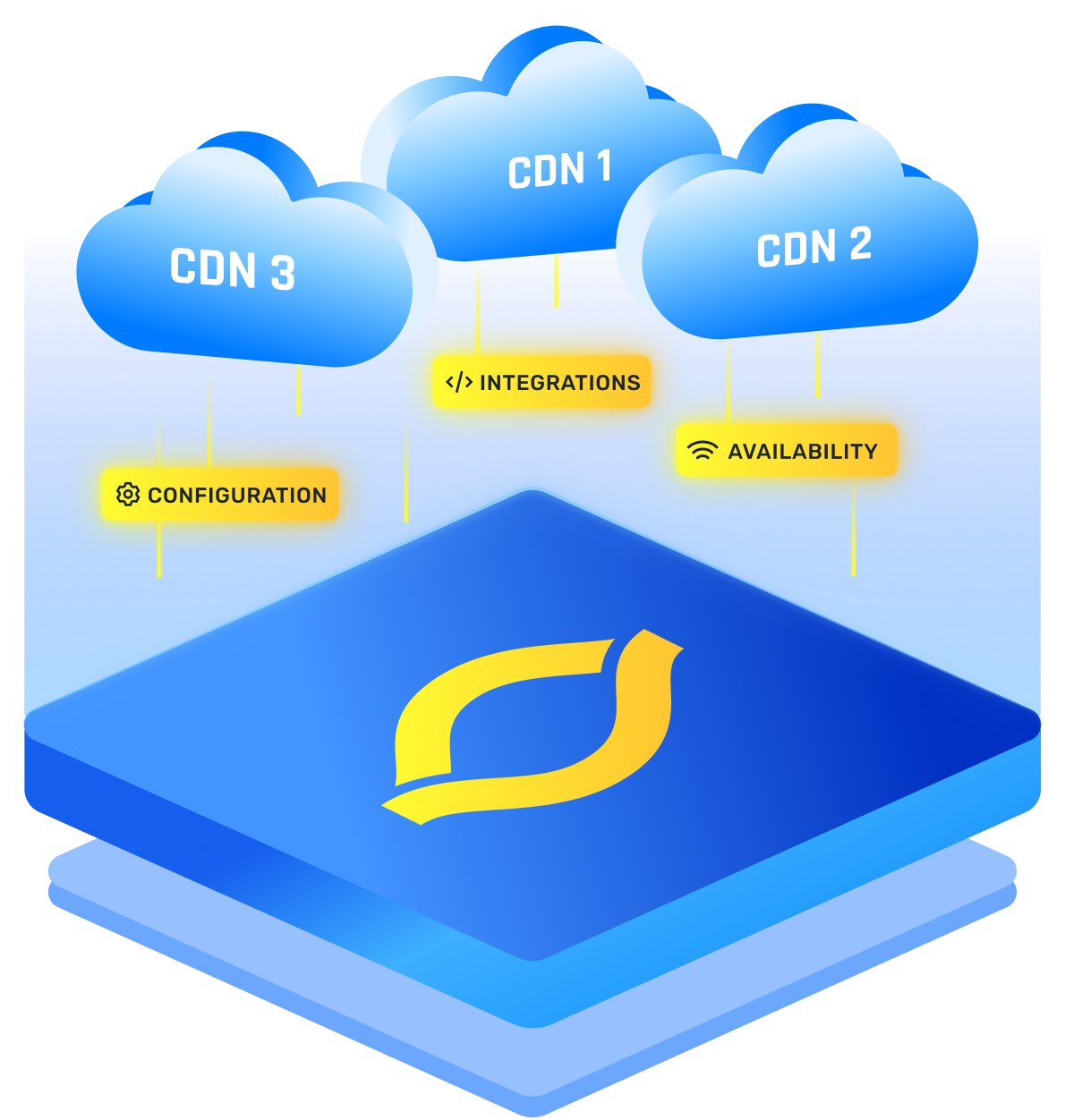
Content Delivery Networks (CDNs) are commonly used to enhance website performance and availability, but even they are not immune to SPOFs. Misconfigured CDNs or reliance on a single CDN provider can create a critical failure point, affecting content delivery during outages.
Impacts of a Single Point of Failure
When a single point of failure goes unnoticed, the consequences can be severe:
- Downtime
This is often the most visible impact. Websites, applications, or systems become unavailable, leading to frustrated users and potential revenue loss. - Data Loss
If the failed component is responsible for storing or processing data, you could lose critical information. - Reputation Damage
Businesses that experience frequent failures risk losing customer trust. People expect reliability. - Financial Loss
Unplanned outages cost money. From repair costs to lost sales, a single failure can snowball into major financial hits.
{{cool-component}}
Mitigating Single Points of Failure
Avoiding SPOFs requires proactive measures and thoughtful system design. Below are detailed steps you can take to mitigate risks:
1. Redundancy
Building different kinds of redundancy (like DNS redundancy) into your system ensures that backup components or systems can take over if something fails.
- Examples: Use a secondary server, database replica, or failover load balancer that can handle operations in case the primary component crashes.
- Implementation Tip: Make sure backups and failovers are regularly updated and tested to ensure they function as expected during a real failure.
2. Distributed Systems
Distributing workloads across multiple systems or regions minimizes dependency on any single point.
- Multi-Region Deployment: Deploy your services in multiple geographic locations to ensure that if one data center goes down, others can maintain operations.
- Load Distribution: Spread traffic across several servers rather than relying on a single server or location.
3. Regular Maintenance and Testing
Performing routine checks and updates helps identify and fix SPOFs before they cause issues.
- Single Point of Failure Analysis: Regularly review your system architecture to identify components that could fail and disrupt operations.
- Stress Testing: Simulate high loads and failure scenarios to ensure your system can handle unexpected issues.
4. Automated Failover Systems
Automated failover solutions detect failures and switch operations to backup systems seamlessly.
- Cloud Example: Many cloud platforms offer built-in failover mechanisms, such as autoscaling or replicated storage, to handle traffic spikes or failures automatically.
- Databases: Use replicated databases with automatic failover configurations, so another instance takes over when the primary database goes down.
5. Avoid Centralized Dependencies
Decentralizing your system spreads risk across multiple components or individuals.
- Training Programs: Train multiple employees to ensure that knowledge is not concentrated in one person.
- Distributed Architecture: Avoid relying on one server, one vendor, or one process for critical tasks.
6. Load Balancers with High Availability
Ensure your load balancers are not a SPOF by implementing high availability (HA) setups.
- Active-Active Balancers: Use multiple load balancers running in parallel, so if one fails, the other continues managing traffic.
- Clustered Load Balancers: Create a clustered setup that shares the workload and can dynamically redistribute traffic during failures.
7. Cloud-Based Solutions
Leverage cloud platforms for built-in redundancy and scalability.
- Global Load Balancing: Cloud providers often include global traffic management to distribute loads across multiple data centers.
- Auto-Recovery: Use services that automatically restart or repair failed components.
Single Point of Failure vs High Availability
A system can be “redundant” on paper and still behave like it has one fragile dependency in practice. A SPOF (single point of failure) is a component or dependency whose loss halts the data plane (real user traffic). High Availability (HA) is an architectural approach that reduces outage probability and blast radius through redundancy, failover, and fault tolerance.
In incident reviews, teams sometimes tag a dependency as “SPOF single point of failure” to make it searchable; but the more useful detail is which failure domain it sits in (instance, rack, AZ, region, provider) and how traffic fails when it degrades.
How HA Design Eliminates the “One-and-Done” Dependency Pattern
HA typically combines three technical capabilities:
- Redundancy across failure domains: N+1 capacity, multi-AZ, multi-region, or multi-provider; not just multiple instances in the same blast radius.
- Fast failure detection: health checks, heartbeats, outlier detection, and SLO-based alerting to detect partial failures (timeouts, elevated 5xx, packet loss), not only hard crashes.
- Safe failover and recovery: automated traffic shift plus protections against split-brain (fencing, leader election, quorum), and controlled return-to-service.
{{cool-component}}
SPOF vs HA comparison
HA is not only about “more servers.” It’s about designing for predictable failure; with explicit assumptions about what breaks, how quickly it’s detected, and what the system does next.
Single Point of Failure in Modern Cloud and CDN Architectures
Cloud platforms and CDNs remove many hardware bottlenecks, but SPOFs still appear; often in the control plane, configuration layers, and “glue” services that tie systems together.
A single point failure is especially dangerous when it sits upstream of every request (DNS, traffic steering, TLS termination, WAF), because it amplifies a local issue into a global outage.
Where SPOFs still sneak into “modern” architectures:
- DNS and registrar dependencies
Running on one authoritative DNS provider (or one registrar account) can create an availability and recovery risk. Failures include provider outages, DNS misconfigurations, accidental record deletion, and domain lockouts.
Hardening tactics: secondary DNS (multi-provider), protected registrar access (MFA, least privilege), DNS change automation with approval gates, and monitoring for record drift. - Traffic steering / global load balancing layers
A global traffic manager (GSLB), Anycast routing layer, or a single steering service can become a choke point. Even if origins are multi-region, steering misconfiguration or unhealthy health checks can route all users to a failing region.
Hardening tactics: redundant steering paths, independent health signal sources, conservative failover policies, and “safe mode” defaults that prioritize availability. - Single-CDN dependency at the edge
A CDN can improve performance while still being an availability dependency for static assets, APIs, and even authentication flows. Edge rule mistakes (cache keys, header normalization, redirects), bad WAF policies, or provider incidents can break your site globally.
Hardening tactics: multi-CDN with controlled traffic shifting, cached fallback behavior, and a tested bypass path to origin for critical endpoints. - Centralized security tooling
WAF, bot protection, API gateways, and security agents can fail “closed” and block legitimate traffic if rules or updates misfire. This risk grows when policy changes are pushed globally in one step.
Hardening tactics: staged policy rollout, shadow/monitor mode before enforcement, emergency allowlists, and break-glass access that works even if the primary identity layer is degraded. - Origin and state bottlenecks hidden behind the CDN
CDNs can mask latency, but they can’t fix an origin that’s single-region, a primary database without replicas, or a shared cache cluster that collapses under load. If every cache miss funnels into one backend, the backend becomes the real availability limit.
Hardening tactics: multi-AZ databases, read replicas, origin shielding, request coalescing, and capacity planning around cache-miss storms. - Certificates, keys, and automation pipelines
TLS automation can introduce systemic risk if renewal depends on one job, one secrets store, or one CI/CD system. Cert expiry is a classic “everything breaks at once” event.
Hardening tactics: renewal monitoring, multi-signer strategies where appropriate, pre-expiry alerts, and deployment pipelines that can be paused or rolled back quickly.
Quick map: Common Cloud/CDN SPOFs and How Teams Reduce Risk
The key is treating “modern managed” components as real dependencies with failure modes, then designing, testing, and operating them like you would any other critical system.
Why SPOFs Deserve Your Attention
Single points of failure might seem harmless until they cause trouble. But identifying and mitigating them doesn’t have to be complicated. You just need to stay proactive and ask yourself, “What happens if this fails?”
From setting up redundancy to performing regular single point of failure analysis, every step you take reduces risk and increases reliability. Systems that avoid SPOFs are not just stronger; they’re smarter.
Conclusion
A single point of failure is a weak link that can disrupt an entire system. Whether it’s a server, a piece of equipment, or even a key individual, SPOFs need to be identified and addressed to avoid downtime, data loss, and other costly consequences.
FAQs
What is the difference between a single point of failure and a single point of control?
A single point of failure is a dependency whose loss stops the service’s data plane; users can’t complete requests. A single point of control is a centralized place where changes are made (DNS, IAM, CI/CD). It can be resilient, yet still risky because mistakes affect everything.
Can cloud-native architectures still have single points of failure?
Yes. Cloud-native stacks often remove hardware SPOFs but introduce managed-service dependencies: a single region, a single Kubernetes control plane, shared account quotas, or one secrets store. Design for multi-AZ and, for critical workloads, multi-region. Test failover and ensure your clients can switch endpoints automatically.
How does a multi-CDN strategy reduce single points of failure?
Multi-CDN adds provider diversity at the edge, so an outage, PoP degradation, or routing incident in one network doesn’t take your stream down. Traffic steering can shift users by region or in real time based on QoE signals. Make the steering layer redundant too, so it doesn’t become a new single point failure.
What are common SPOFs in global web infrastructure?
Common SPOFs include a single authoritative DNS provider, one global load balancer, a single-region origin, a primary database without replicas, shared object storage credentials, one identity provider for admin access, and a centralized WAF or bot policy. Also watch CI/CD pipelines that push edge rules everywhere. Treat each as a dependency to replicate and test.
How often should enterprises perform a single point of failure analysis?
Run a single point of failure analysis at least quarterly, and after any major architecture change, vendor change, or incident. For critical customer-facing systems, tie reviews to SLOs and disaster-recovery exercises. The output should be a prioritized backlog of “single of failure” items, with owners, mitigations, and verification tests.


