

A customer refreshes your site and sees yesterday’s headline. Five seconds later, the headline flips to the new one. Nothing crashed. The content just took a strange route through caches.
That route is often CDN stacking, even when nobody on your team meant to build it.
What is CDN Stacking?
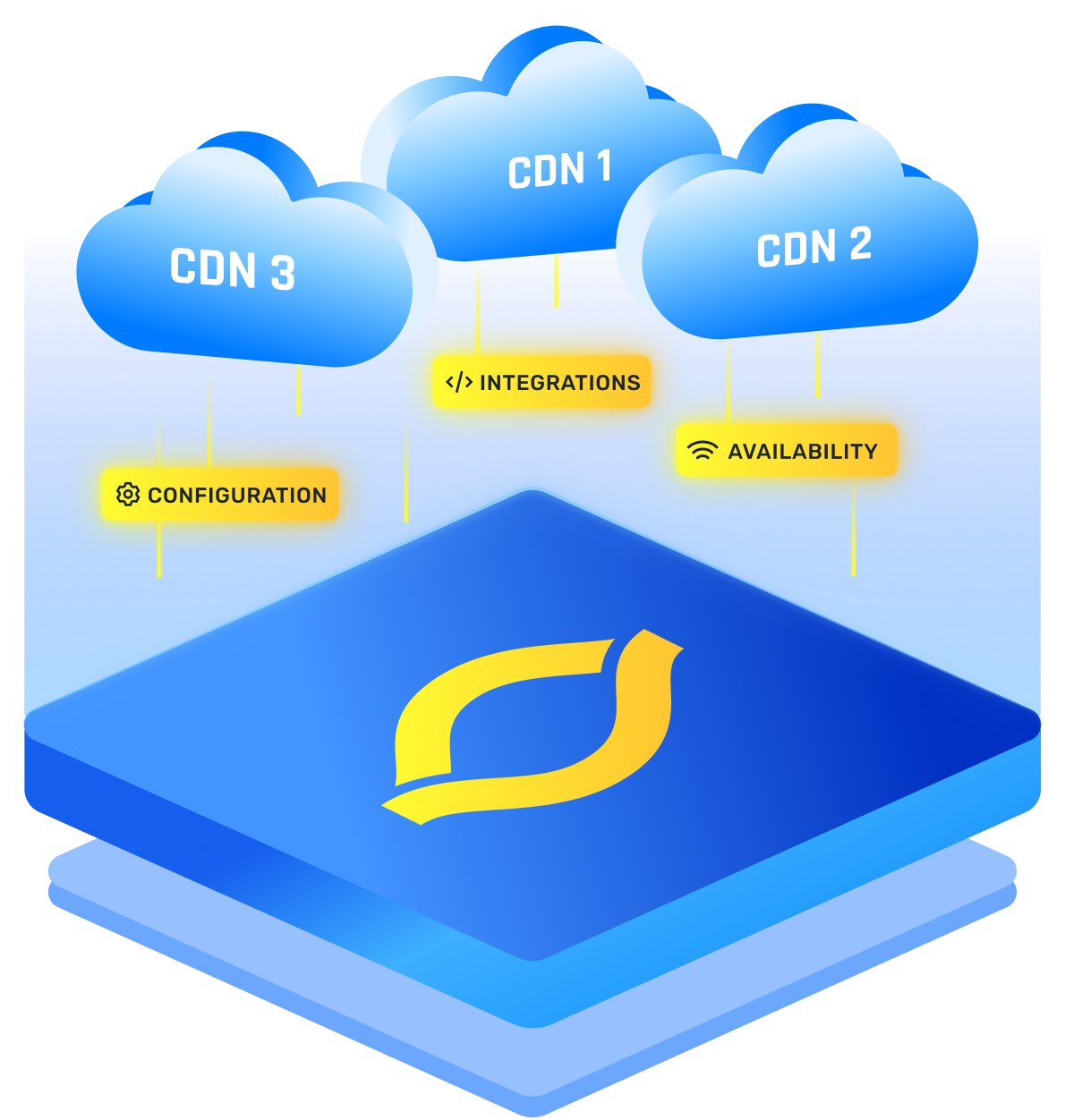
CDN stacking is when two or more CDNs sit in a chain, so one CDN forwards requests to the next. If the first CDN cannot serve the request from cache, it forwards the request inward until something answers.
User → CDN 1 → CDN 2 → Your Origin
Teams sometimes say they “stack CDN providers” when this is intentional.
More often, it happens because a platform or host already has its own CDN, and another CDN is placed in front for security or DNS.
Each layer accepts the connection, runs checks, and makes a caching decision. Those tiny steps can stack up into cascading latency, even on pages that “should be cached.
{{cool-component}}
Difference Between CDN Stacking and Multi-CDN Architecture
Both use more than one vendor, but the traffic shape is different.
CDN stacking sends requests through CDNs in sequence. Multi-CDN architectures route requests to one CDN or another.
A multi-CDN strategy is usually about resilience, performance steering, or vendor risk, not chaining.
A system can use both. Two outer CDNs for failover, and an inner CDN behind them, is still a stack in the middle.
Types of CDN Stacking Configurations
The shape of your setup changes the risk.
Two setups can both “use multiple CDNs,” but the day-to-day pain level can be totally different, especially once cache invalidation and incident debugging enter the chat.
1. Vertical Stacking (Serial Proxying)
User → Outer CDN → Inner CDN → Your Origin
What it looks like in real life
This is the classic CDN stacking pattern. The outer CDN is often added for WAF rules, DDoS protection, DNS, certificates, and bot controls. The inner CDN is already “built in” because of your host, your platform, or an existing legacy setup.
A very common version is:
- Outer layer: security and routing rules
- Inner layer: platform caching and deployment integration
- Origin: app servers or storage
What each layer is doing
- Outer CDN
- Accepts the client connection.
- Runs security checks and request rules.
- Decides if it can serve from cache.
- If not cached, it forwards to the inner CDN.
- Inner CDN
- Sees the outer CDN as the “client.”
- Does its own cache lookup.
- If it misses, it calls your origin.
This is where teams say they “stack CDN providers” on purpose. It can work, but the details matter.
Why it can feel slower even when cached
Even if the response is cached in the inner layer, the outer layer still has to:
- receive the request
- apply rules
- decide it is a miss
- forward it
Those steps are not huge, but they happen on every request. That is how cascading latency sneaks in.
Where vertical stacking breaks most often
- Stale content refill
- Outer purge happens.
- Outer misses.
- Inner still has the old object.
- Outer caches the old object again. (This is the “I purged and nothing changed” moment)
- Cache key mismatch
- Outer includes query strings or cookies in its cache key.
- Inner ignores them, or does the opposite. (Hit rates drop and the chain becomes a forwarding path)
- The inner CDN blocks the outer CDN
- The inner layer sees a lot of traffic from the outer layer’s edge IP ranges.
- It looks suspicious unless allowlisted or tuned.
Guardrails that keep it sane
- Pick one “main cache” layer per content type.
- Example: static assets cached on both, HTML cached only on inner, APIs not cached.
- Keep cache keys consistent.
- Strip cookies for static assets.
- Normalize query strings (keep only the ones that matter).
- Purge order: inner first, then outer.
- Add response headers that prove who served it (more on this in the FAQs).
2. Horizontal “Stacking” (Split by Domain or Content)
- User → CDN A (for one hostname/content type) → Origin
- User → CDN B (for another hostname/content type) → Origin
This is not always “stacking” in the strict proxy-chain sense because requests do not pass through multiple CDNs. But teams often group it into the same conversation because “multiple CDNs” are involved, and it can be part of a multi-CDN strategy.
What it looks like in real life
A site is split into lanes using hostnames:
- www.example.com → CDN for HTML
- static.example.com → CDN for CSS/JS
img.example.com → CDN for images
- api.example.com → CDN for APIs
Each lane has its own caching rules, purge rules, and sometimes its own vendor.
Why this can be easier to operate
- Caches are isolated by design.
- A purge for images does not risk flushing HTML.
- Tuning is cleaner because each content type has different needs.
Where horizontal splits get tricky
- Security drift
- One CDN has strong bot rules.
- Another lane forgets rate limits. (Attackers pick the weakest lane, not the prettiest one)
- Extra connections
- Multiple hostnames can mean more TLS handshakes and more network setup.
- On mobile, that can matter more than expected.
- CORS and cookie confusion
- APIs and asset domains need clean cross-domain rules.
- Cookies leaking into asset requests can wreck cache hit rates.
Guardrails that keep it sane
- Keep security requirements consistent across lanes.
- Use a shared checklist for headers and caching rules.
- Keep asset hostnames cookie-free whenever possible.
{{cool-component}}
3. Hybrid Setups (Outer Layer Plus Multiple Inner Lanes)
User → Outer Security CDN → (Inner CDN for Static OR Inner CDN for API OR Inner CDN for Media) → Origin
This is where things get powerful and also where things get messy fast.
What it looks like in real life
The outer layer is the single public entry point. It routes traffic inward based on hostname or path:
- /static/* → inner CDN focused on assets
- /api/* → inner CDN focused on APIs
- /video/* → streaming CDN
- everything else → origin or another inner layer
Edge rules on the outside might also rewrite URLs, enforce auth checks, or do redirects. The inner layers focus on caching and delivery.
Why teams build this
- One security perimeter on the edge.
- Specialized delivery behind it.
- Better control over origin load without putting everything in one vendor.
Where hybrid setups go wrong
- Different paths see different “truth”
- Static lane purged correctly.
- HTML lane still serves old references. (Now the page loads, but the JS is the wrong version)
- Header and cache key ownership is unclear
- Outer adds Vary.
- Inner caches it differently. (Hard to predict what is stored where)
- Debug time explodes
- A slow request could be:
- outer processing time
- inner cache miss
- origin slowness
- a routing rule mistake
- A slow request could be:
Guardrails that keep it sane
- Treat each lane like its own product.
- Own metrics, alerts, and purge workflow per lane.
- Add a shared request ID header at the outer edge, forward it everywhere.
- Decide where edge computing lives.
- Outer layer: “can this request enter?”
- Inner layer: “how do we serve it fast?”
4. Temporary Stacking for Migration
User → New CDN → Old CDN → Origin (or the reverse, depending on the migration plan.
This is CDN stacking used as scaffolding. It can be smart when it is truly short-lived.
What it looks like in real life
- A new vendor is added in front of the old one.
- Caching is initially off on the new layer.
- Rules and headers are rebuilt step by step.
- Once the new layer is stable, the old layer is removed.
Why it is useful
- It reduces “big bang” cutover risk.
- It allows testing under real traffic.
- Rollback is simpler because the old CDN is still in the path.
Where migration stacks go wrong
- Temporary becomes permanent
- The migration finishes “later.”
- Meanwhile latency and costs stay higher.
- Purge tooling is forgotten
- Teams purge only one layer.
- Old content keeps reappearing. (That is a classic cache invalidation failure)
- Caching gets enabled too early
- New layer starts caching before behavior matches the old layer.
- Bugs get cached and feel random.
Where Speed Improves And Where It Slows Down
A stacked setup has three common outcomes:
When both layers miss, the request pays for extra cache lookups, extra rule processing, and extra network travel before it even reaches your origin. Fresh deploys and cold caches are where this hurts most.
What Keeps a Stack From Turning Into a Forwarding Machine
Stacking only stays “okay” when both layers agree on what counts as the same object. If CDN 1 and CDN 2 build different cache keys, hit rates drop and every request turns into a forward.
The usual troublemakers are cookies, query strings, and headers like Vary. If one layer includes a cookie in the cache key and the other ignores it, the chain stops behaving like a cache and starts behaving like a relay.
Cache Invalidation Becomes a Two-Step Trap
Cache invalidation is already annoying with one CDN. With a chain, order matters.
Common failure loop:
- Outer cache is cleared.
- Outer misses and fetches from the inner CDN.
- The inner CDN still has the old object.
- The outer CDN caches the old object again.
Two habits reduce pain:
- Use versioned filenames for static assets (CSS, JS, images) so changes do not rely on purges.
- If purging is needed, clear inner first, then outer, so stale content does not refill the front cache.
When One CDN Starts Treating Another Like a Bot
In a stack, the inner CDN can see lots of requests coming from the outer CDN’s edge IP ranges. Without tuning, that traffic can get rate limited or blocked, and your logs can blame the wrong “client.”
If stacking is unavoidable, add the outer CDN’s edge ranges to your inner CDN allow list and make sure client IP forwarding is correct.
The Operational Cost You Feel Later
Two CDNs means two dashboards, two log formats, and usually two bills. Bandwidth can be charged at each layer, so the same bytes can get paid for twice.
{{cool-component}}
Conclusion
CDN stacking is not evil. It is just honest about tradeoffs. It can help when your platform forces an inner CDN, or when your outer layer is doing serious security work. But it also makes every purge, rule change, and incident more expensive.
When things feel fuzzy, draw the request path with real hostnames and ask one blunt question: “Which layer is allowed to cache this?” That decision prevents most stacking headaches.
FAQs
How does CDN stacking happen without anyone noticing?
It often shows up when a platform already includes a CDN, then another CDN is added in front for security or DNS control. The team sees “CDN enabled” in both places and assumes it is harmless. The result is a proxy chain, even if nobody drew that diagram.
Is CDN stacking always a bad idea?
Not always. It is a tradeoff. If an outer layer is doing serious security work, and the inner layer is unavoidable because of hosting, the stack might be worth it. It becomes a bad idea when it is used like a feature shopping cart, where every vendor is added for one nice button. That is when cost, latency, and incident time start to rise.
What is the biggest performance risk in a stacked setup?
The biggest risk is cascading latency during cache misses and cold starts. Each layer still has to receive, inspect, and forward requests when it misses. Those small steps can add real delay, especially at global scale. The second risk is increased variability. Even if the median looks okay, the slow tail often gets worse, which is what users actually complain about.
How can CDN Stacking be fast sometimes and slow other times?
When the outer layer hits cache, it can be very fast. When it misses and the inner hits, it can still feel fine. The pain shows up when both layers miss or when the outer layer keeps missing due to cache key mismatch. Then the stack behaves more like a relay race than a cache.


