
6 Best CDN Traffic Steering Tools in 2026
Compare six CDN traffic steering tools, understand DNS and anycast routing, and choose policies that balance performance, availability, and cost.

Two CDNs can both be healthy while one gives your users in a particular region a much slower page. A traffic steering tool decides which path a request should take, based on the signals and rules you give it. The useful question is not which product has the longest feature list. It is whether the tool can make the right decision for your users, explain that decision, and change it safely when a provider degrades.
Key Takeaways
- Choose a tool around your routing decision: basic failover, regional performance, cost control, or all of them.
- DNS steering chooses an answer at lookup time; it cannot force every client to switch instantly.
- Use health checks to remove broken paths and real user or synthetic data to compare healthy ones.
- Test the policy against your actual CDNs, hostnames, contracts, and cache behavior.
- Keep a manual override and a clear record of why traffic moved.
{{promo}}
What Is CDN Traffic Steering?
CDN traffic steering is the policy that chooses which delivery network serves a user or workload. If you operate two CDNs, a steering layer can send most traffic to one, divide traffic between them, or choose by location, performance, availability, and cost. This is CDN load balancing across providers. The chosen CDN then handles its own edge routing and content delivery.
The steering layer can sit at DNS, an HTTP gateway, or a client. Most products here use DNS to choose between provider hostnames. Cached DNS answers can delay a change even with a low TTL.
Good traffic steering algorithms use explainable rules. Health checks exclude failures, latency ranks healthy paths, and cost constrains the choice. Observe the result after routing.
How Traffic Steering Decides Where Each Request Goes
Think of the decision as a series of filters:
- First, remove destinations that are not allowed for the hostname, geography, data policy, or contract.
- Next, remove destinations that are unhealthy.
- Then rank the eligible ones using performance, load, cost, or a fixed weight.
- Finally, return a DNS answer or forward the request.
Signals answer different questions. Health probes check a test URL. Synthetic probes cover quiet regions. Real user monitoring, or RUM, shows customer experience but can be noisy at low volume. Cost data adds the commercial constraint.
Set minimum samples and a cooldown so small fluctuations do not bounce traffic between providers. Keep a manual override and watch success rate after each shift.
6 Best CDN Traffic Steering Tools in 2026
These six products are active options for global traffic management, but they solve different scopes of the problem. Compare them against your architecture rather than treating the order as a universal ranking.
1. IO River
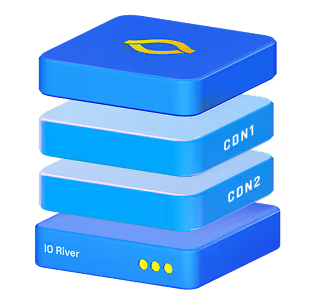
IO River is the closest fit here when your main problem is operating several CDN providers as one delivery layer. Its steering combines provider performance and cost controls, and its virtual CDN approach is built around a multi-CDN estate. That is useful if you want to shift traffic by region without maintaining unrelated rules in every provider dashboard.
Ask to see the decision trail, manual override, and treatment of provider commitments. Check the performance floor before enabling cost-based routing.
2. IBM NS1 Connect
IBM NS1 Connect is a managed DNS platform with Filter Chains for traffic steering. Filters can remove unhealthy answers, apply geographic or network rules, and rank destinations by priority or cost. Its Pulsar option uses real user performance data to inform routing. That depth suits teams comfortable designing and testing their own DNS policy.
Filter order matters. Geographic fencing is not automatically a strict security boundary because the platform may return an answer when all candidates are filtered. Test that behavior for compliance workloads.
3. Cloudflare Load Balancing
Cloudflare Load Balancing offers healthy-pool routing with geographic, proximity, dynamic, and other steering policies. It can be a practical choice if Cloudflare already owns your DNS and you want to direct traffic across origins or provider endpoints through one configuration. Its policy and monitoring features are easier to evaluate when you can test the exact proxied or DNS-only mode you plan to use.
Check how your chosen mode observes third-party CDNs and locates DNS users. A resolver's location may differ from the end user's. Make health checks reflect a customer journey.
4. Akamai Global Traffic Management
Akamai Global Traffic Management, or GTM, is a DNS-based global load-balancing service with failover, weighted allocation, and policy-driven routing. It uses health and network conditions to choose among configured traffic targets. It fits organizations already using Akamai's operational tooling or those that need a mature global DNS control layer.
Ask how GTM handles a partially degraded CDN, measures customer performance across providers, and tests policy changes before production traffic moves.
5. Amazon Route 53
Route 53 is useful when you want straightforward DNS policies and already manage infrastructure in AWS. Weighted, failover, geolocation, and other routing policies can select among configured endpoints. Health checks can remove a failed target. It is a strong baseline for active-passive protection or planned traffic splits without adopting a specialized multi-CDN optimizer.
Its latency routing targets AWS Regions, not the last-mile performance of outside CDNs. For that decision, you need external measurements and a policy update process.
6. Constellix
Constellix combines managed DNS traffic controls with regional routing and Sonar monitoring. Global Traffic Director can direct DNS answers by geographic rules, which suits teams that need explicit regional distribution and failover. It is worth considering if you prefer a DNS-focused tool over a broader CDN orchestration layer.
Test whether its monitoring and rules can express your provider weights and exclusions. Verify behavior from multiple resolvers, including cached answers during failover.
DNS-Based vs Anycast Traffic Steering: What the Difference Means in Practice
These are different layers, not two names for the same feature. DNS-based steering chooses which address or CDN hostname a resolver receives. Anycast lets multiple edge locations advertise the same IP address, and Internet routing tends to carry the client toward one of those locations. A CDN often uses anycast inside its own network after your DNS policy has selected that CDN.
DNS gives you an explicit place to apply multi-provider weights, health rules, and geography. Its limit is caching: a client may keep using an earlier answer until the resolver refreshes it. Anycast can react to network route changes without a fresh DNS lookup, but ordinary BGP anycast does not know your checkout conversion rate, CDN contract price, or whether an edge returned the correct page. It also does not, by itself, decide between two independent CDN providers.
Use both when appropriate: DNS selects the provider, then that provider's anycast chooses an edge. Test the combined path during failure.
How to Choose a Traffic Steering Tool for a Multi-CDN Stack
Write a short decision brief before requesting demos. Name your providers, critical journeys, regions, failover target, and contractual constraints. Then ask each tool to implement the same policy and show its result under one failed CDN and one slow-but-healthy CDN. The second case exposes the difference between basic failover and performance-aware steering.
Score the trial on observed behavior, not the configuration screen. Record how long it takes to identify a failure, issue a new route, and restore a working journey. Check the routing decision in a quiet region where RUM data is thin. Then force conflicting signals, such as a cheaper provider with worse latency, and see which rule wins. A tool that cannot explain the winner will be hard to trust during an incident. Repeat the trial with the backup CDN's cache cold so the apparent routing success does not hide an origin surge.
Ask whether the team can explain a decision, stop a bad one, honor contract minimums, and survive a sudden shift. Compare the answer with how traffic affects pricing and performance in your environment.
Choose the simplest control layer that meets those tests. A DNS failover policy may be enough for a small two-CDN setup. A global service with user-experience and cost signals becomes more valuable when regional differences, contract commitments, and frequent provider changes make static rules expensive to maintain.
{{promo}}
Conclusion
The best steering tool is the one whose decisions you can test and explain in your own CDN setup. Start with eligible, healthy paths, then compare performance and cost within those limits. Prove that failover works with real client behavior and a cold backup cache. A policy you understand under pressure is more valuable than a feature list you cannot verify.
FAQs
Can Traffic Steering Route by Content Type or Geography?
Geography is common in DNS steering, though the system may see a resolver's location rather than the user's precise location. Content type usually requires a request-aware layer, separate hostnames, or client logic because ordinary DNS cannot inspect an HTTP path or response type. Check what data the chosen steering layer actually sees before writing the rule.
How Does Traffic Steering Respond When a CDN Provider Fails?
Health checks or user-experience signals mark the provider as unavailable, and the policy shifts new decisions to an eligible alternative. DNS-based changes take time to reach clients with cached answers. A useful test measures detection, policy change, DNS refresh, and recovery of the full application journey, not just a dashboard status change.
How Does RUM Data Influence Traffic Steering Decisions?
RUM measures timing and failures from real users, so it can show that one CDN is slower for a particular region or network. A steering system can favor the better path when the sample is large enough. Sparse or noisy measurements need safeguards, such as minimum samples and cooldowns, to prevent constant switching.
What Is the Difference Between Active and Passive Traffic Steering?
Active steering sends traffic to multiple eligible paths as part of normal operation and adjusts the share as conditions change. Passive steering keeps a backup mostly idle until the primary fails. Active use keeps the alternate path exercised and its cache warmer, while passive use is simpler but can reveal problems only during failover.
Can Traffic Steering Tools Enforce Cost-Based Routing Rules Across CDNs?
Some can rank providers using prices, weights, or contract commitments, while others need an external process to update DNS policies. Verify whether the cost input reflects your actual regional rates and minimum commitments. Put a performance floor and health exclusion ahead of price so the cheapest path cannot win when it is unusable.